
XLCS Real Estate Project Full Cost Calculation Template V8 Download
📌 Quick Navigation
| Navigation | Link |
|---|---|
| ⚡️ Template Download | /categories/Template-Download/ |
| 📑 Version Matrix | /categories/Version-Matrix/ |
| 🚀 Quick Start Guide | /categories/Getting-Started/ |
| ❓ Changelog | /categories/Changelog/ |
| 🛠 Discussion & Help | https://xlcs.de/ |
📖 Product Description
XLCS Core Edition (XLCS Core V8) is officially launched! Leveraging AI tools, extensive VBA code has been used to rewrite the function formulas from previous versions. VBA offers advantages in execution efficiency, handling complex logic, automation, and custom functionality, enabling advanced features that even complex formulas couldn’t achieve to meet user needs.
Starting from XLCS Core V8.2, to reduce version complexity and update workload, the template no longer distinguishes between Excel and WPS versions. It is now fully compatible.
XLCS Beginner Edition (XLCS Lite V1) is suitable for novices to perform one-click calculations and trial features. If more calculation conditions are needed, please use the XLCS Core Edition. Faced with the overwhelming features and settings of the Core Edition, many beginners may feel at a loss. In such cases, trying out the lightweight Lite version first is recommended. It extracts only the key economic and technical indicators and calculation elements (land price, three fee rates, etc.) from conventional projects to output reports identical to the Core Edition.
Download V8 Links:
Select any download link and click on it. Enter the Access password when prompted. Once the download page opens, click the Download button in the upper right corner (if the button does not appear, please refresh the page).
Template File Update Time:
V8.0 Update 2025-06-27
① Optimized VBA code for city name cleaning.
② Optimized settings for the validation and review table.
③ Added an option in Table 02 for the number of months to start payments after reaching the financing node, defaulting to one month.
④ Fixed definition range bugs in the construction period template.
V8.1 Update 2025-08-01
① Optimized VBA code for the supervised funds table, increasing supervision nodes to ten for projects with more complex requirements. Supervision levels adjusted to: total presale amount, engineering cost standard, end-of-period fund balance, or none. Added local engineering cost-based supervision amounts as a standard.
② Optimized the standard construction period table, adding custom settings for PC prefabricated structure standard floor periods, non-prefabricated structure standard floor periods, periods from structural topping-out to rough completion, additional periods for finished completion compared to rough completion, periods from rough completion to rough delivery, and periods from rough completion to finished delivery.
③ Added display for automatically detected and connected official server response times in Table 02.
④ Added two custom payment nodes in the progress payment node table of the 08.2 upfront engineering payment table, allowing users to set node times and payment ratios.
⑤ Fixed land appreciation tax calculation logic and formulas for government无偿配建 products in the land appreciation tax calculation table.
⑥ Fixed issues where upfront and engineering fees’ VAT amounts in the land appreciation tax calculation table and full cost expense table did not consider invoice rates and conversion rates, aligning with the VAT calculation table.
⑦ Optimized VBA code for monthly progress payment allocations in the upfront engineering payment table, making allocations faster and more accurate.
V8.2 Update 2025-08-11
① To reduce version complexity and update workload, the template no longer distinguishes between Excel and WPS versions. Starting from V8.2, it is fully compatible.
② Added custom land area allocations for each product in the overview table and error detection/prompts for manually entered product land area allocations in the validation table.
③ Added time logic checks for the two custom payment nodes in the 08.2 upfront engineering payment table to prevent later node payment ratios from being less than earlier ones.
④ Fixed calculation logic for VAT and deemed sales values when holding properties.
⑤ Added an optional indicator for whether commercial properties include parking spaces, affecting parking space calculations with one-click toggling.
⑥ Optimized VBA code for monitoring key indicators triggering automatic monthly progress payment recalculations to avoid frequent recalculations.
⑦ Fixed formula errors in the pre-opening fund plan table.
⑧ To accommodate the complexity of product, ancillary, and basement areas (building area, plot ratio area, reward area), added for above-ground/underground plot ratio/non-plot ratio and building area fields.
V8.3 Update 2025-09-01
① Improved the logic for profit-related cells in the 06 Full Cost Summary Sheet, categorizing them into General Accounting Gross Profit and Greentown Standard Operating Gross Profit for clear and intuitive concept distinction.
② Optimized the VBA code for the sales destocking plan in the 02 Sheet. The monthly unit destocking logic is now more realistic, with separate monthly destocking unit settings for residential and commercial products. Enhanced the parking space destocking logic, defaulting to Greentown’s indicator layout for monthly destocking rates.
③ Optimized the VBA code for the financing sensitivity analysis, resulting in faster execution speed.
④ Enhanced formulas in the validation sheet related to sales cycle and first-launch verification tables to more intuitively reflect validation results.
⑤ Improved the calculation logic for the management expense standard. The 02 Sheet now includes multiple personalized input options and displays result data.
⑥ Corrected the calculation logic for the number of non-motorized vehicle parking spaces, applying different ratio settings for residential, commercial, and supporting facilities.
⑦ Fixed formula errors in the product unit type area verification.
⑧ Fixed a bug in the VBA code for cell link error checking in the validation sheet that caused a secondary pop-up window.
V8.4 Update 2025-12-26
① Enhanced the sales destocking plan in the 02 Sheet: key indicator cells now switch between green/gray based on the selected destocking mode, indicating whether the cell is editable.
② Fixed a bug related to the ticket retrieval rate in the 12.2 Sheet.
③ Optimized the fee calculation method for the sellable portion construction agency fee in the 02 Sheet, now offering two modes: agency fee rate or fee per unit area based on agency area.
④ Fixed a bug in the 02 Sheet where the urban supporting fee failed to auto-determine the charging mode based on the selected city database information.
⑤ Optimized external hyperlinks in the 02 Sheet to automatically select the fastest available server.
⑥ Fixed formula errors in the “Summary Data” column of the 09.1 Sales Plan Sheet.
V8.5 Update 2026-01-26
① Added a built-for-government (off-site) property proxy construction fee option in Sheet 02, along with a sales incentive proxy construction fee option.
② Added Sheet 11.6 Sales Dynamics Analysis Table to dynamically analyze the impact of adjustments in sales launch timing, sell-through rate, monthly sell-through units, sell-through cycle, and other metrics on key economic indicators (peak funding requirement, timing of peak funding, time to positive cash flow, annual ROI on invested equity, IRR, NPV, etc.).
③ Added Sheet 11.7 Marketing Fee Rate Dynamics Analysis Table to dynamically analyze different marketing fee rate standards corresponding to different residential selling prices, and their resulting impact on key economic indicators (net profit, net profit margin, IRR, etc.).
④ Optimized the VBA code for file opening, improving runtime speed and consolidating validation results into a single pop-up to reduce tedious operations.
⑤ Multiple UI/UX improvements: Cells manually modified by the user in Sheet 02 Basic Indicators Sheet will now automatically highlight in blue; product types adapted for the project in Sheet 04.1 Engineering Indicators / Sheet 04.3 Configuration Standards Sheet will automatically highlight in orange.
⑥ Added logical validation and error prompts in the Data Validation & Review Sheet to check whether the rough-finished/finished product inputs in the product entry area of Sheet 02 have corresponding rough-finished/finished selling prices correctly entered.
XLCS Real Estate Project Full Cost Calculation Template Compressed Package Directory:
- XLCS Full Cost Calculation Template_Core V8 Edition.xlsm
- XLCS PRO V1 Full Cost Calculation Template_Multi-Plot Edition.xlsm (for multi-plot projects)
- Single-Page Simple Calculation Template simple-template.xlsm
- XLCS Real Estate Project Full Cost Calculation Template User Manual.docx
- XLCS Core WPS User Quick Start.docx
- deepseek Analysis of XLCS Full Cost Calculation Template.docx
- Version Update Notes.txt
- City Database User Manual.txt
- Version Selection Guide.txt
- XLCS Real Estate Project Full Cost Calculation Template Quick Start.txt
- wps.vba.rar (Required free personal edition VBA plugin for WPS)
- Beginner Edition (XLCS Lite V1 Full Cost Calculation Beginner Edition.xlsm, XLCS Lite Beginner Edition Quick Start.docx)
City Database File Update Time:
The cloud city database is updated online via cloud connection and is not available for download.
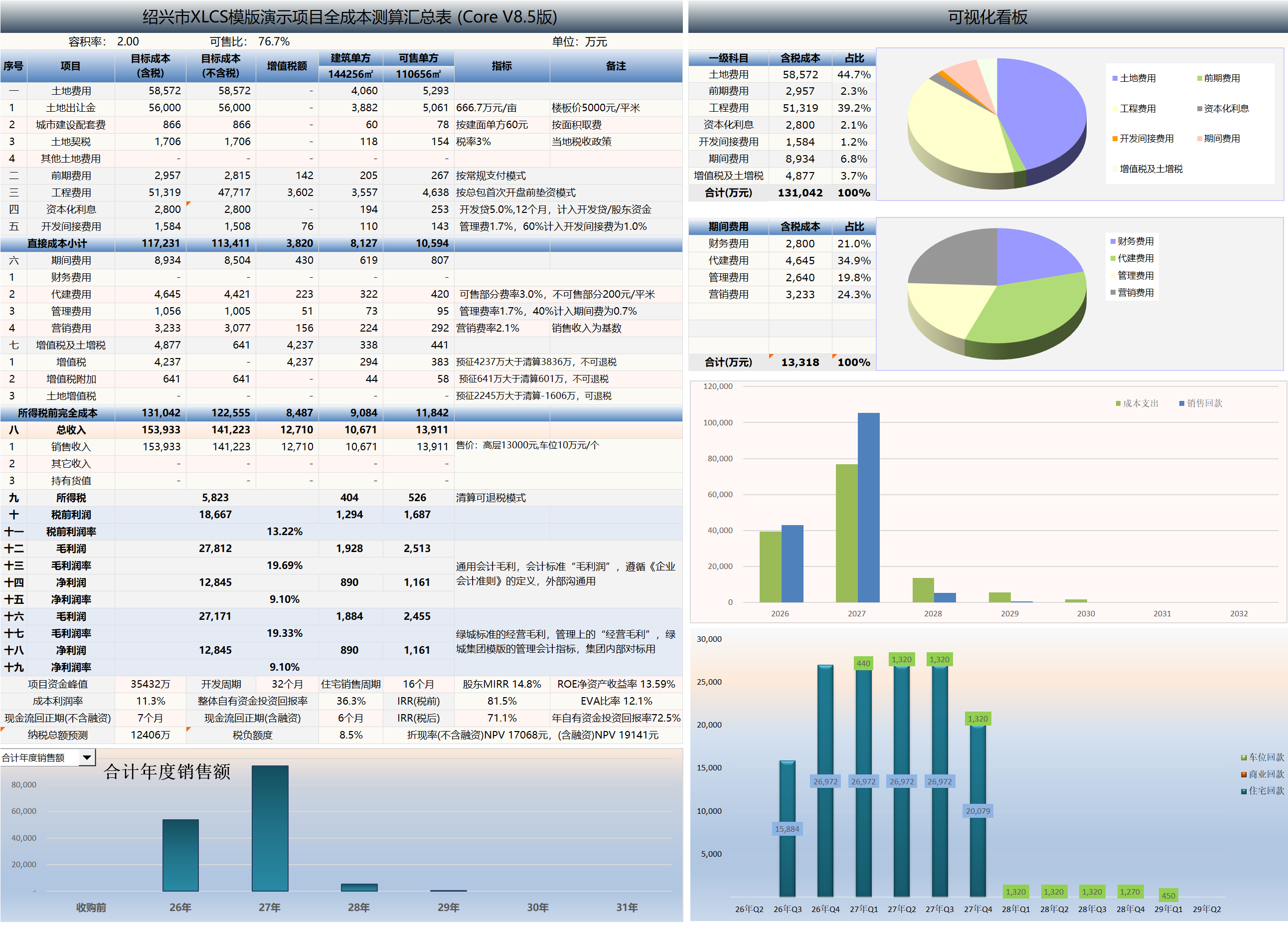
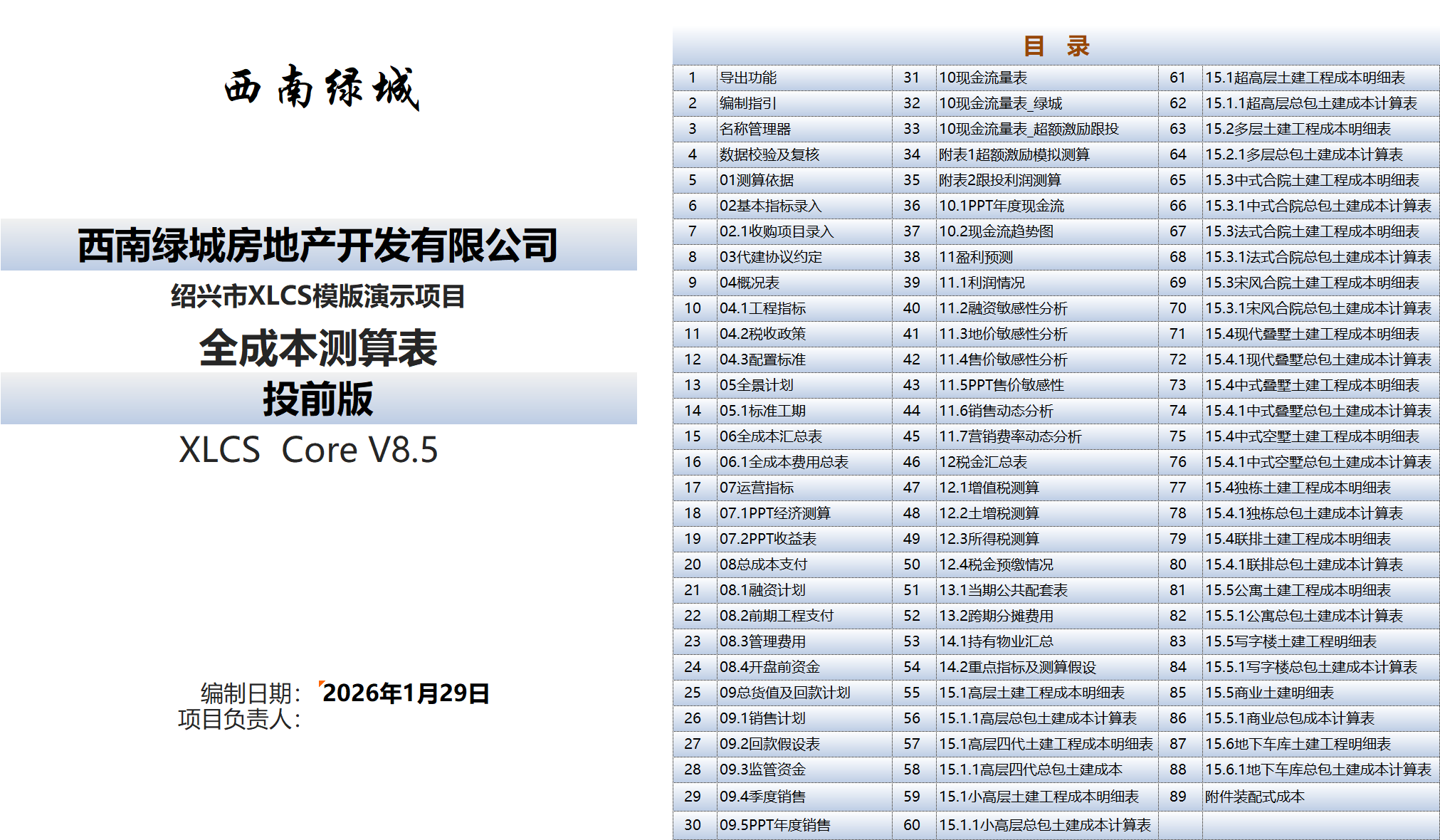
Calculation Results Summary Page Preview
🌐 Official Website & Support
| Type | Link |
|---|---|
| Official Website | http://fccs.cc |
| Official Website | http://fckcs.cn |
| Official Website | http://fckcs.com |
| Official Website | http://fdc.sd |
| Official Website | http://fccsz.com |
| Official Website | http://cskits.com |
| Help & Suggestions | http://xlcs.de/ |
| Email Contact | [email protected] |