What to Do When XLCS Cloud Database Fails to Connect
📌 Quick Navigation
| Navigation | Link |
|---|---|
| ⚡️ Template Download | /categories/Template-Download/ |
| 📑 Version Matrix | /categories/Version-Matrix/ |
| 🚀 Quick Start Guide | /categories/Getting-Started/ |
| ❓ Changelog | /categories/Changelog/ |
| 🛠 Discussion & Help | https://xlcs.de/ |
After opening the XLCS calculation template, if the cloud database fails to connect and data cannot update automatically
The XLCS Full Cost Calculation Template’s cloud database is hosted online. Due to server or network issues, temporary connection failures may occur, preventing automatic data updates and triggering error messages.
While this doesn’t affect manual data input or report generation, results may deviate. Follow these steps to resolve:
Automatic Template Reconnection
- Save and reopen the template file—it will automatically detect and connect to the fastest official server.
Automatic Repair
- Click the “One-Click Fix Cloud Link Error” button at the top of the Data Validation and Review sheet to auto-correct URLs in the Name Manager.
Manual Repair
Step 1: Modify Domain in Name Manager
- Go to: Formulas → Name Manager
- Edit the “Refers to” field for HTTP-based URLs:
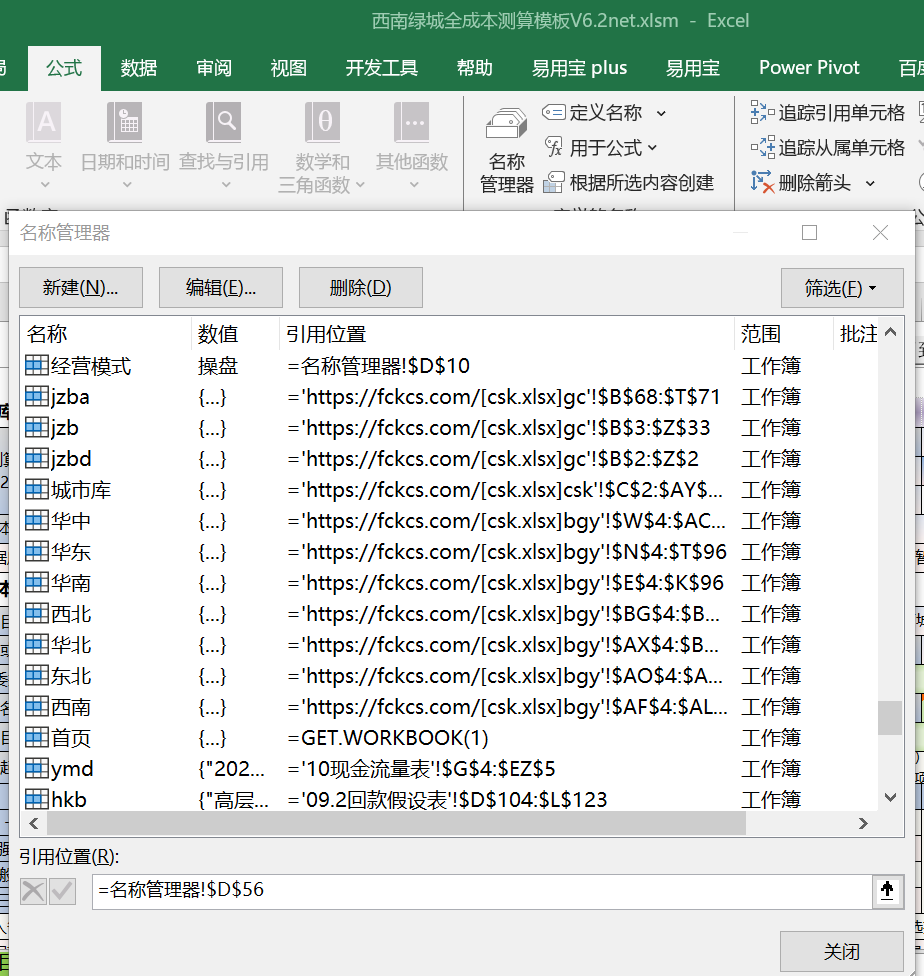
- Default server:
fckcs.cn. If unavailable, replace with these alternatives (choose the fastest):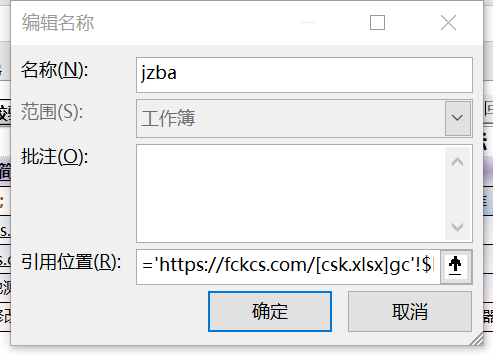
Domestic Servers:
http://fckcs.com
http://fckcs.cn
http://jgfree.cn
Overseas Servers:
http://fccs.cc
http://cskits.com
http://fdc.sd
http://fccsz.com
Step 2: Refresh Data
- Navigate to: Data → Refresh All to verify updates:
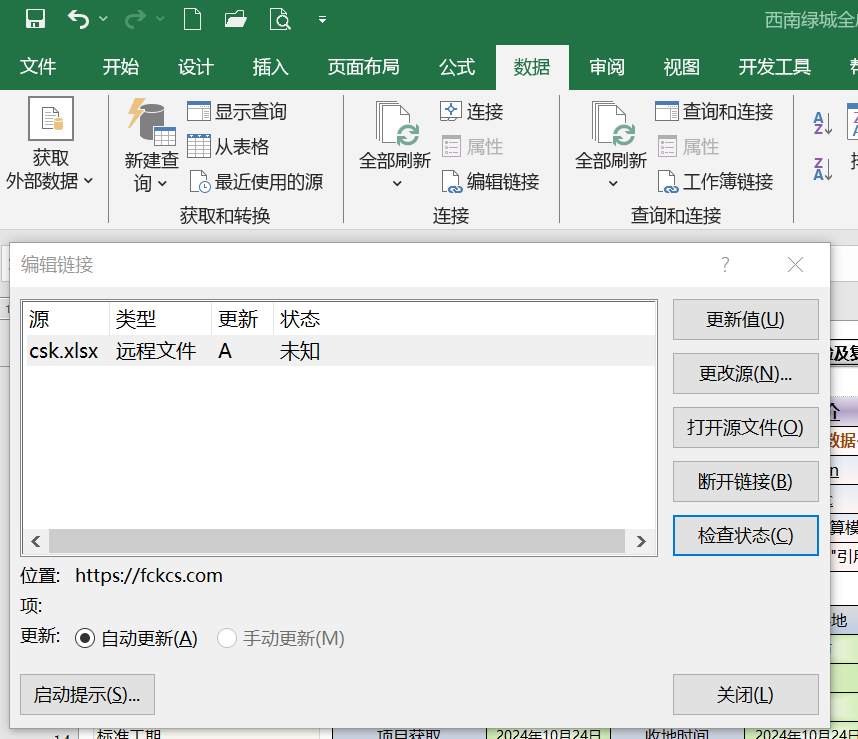
- Check connection status: Data → Edit Links → Update Values → Ensure
csk.xlsxchanges from “Unknown” to “OK”: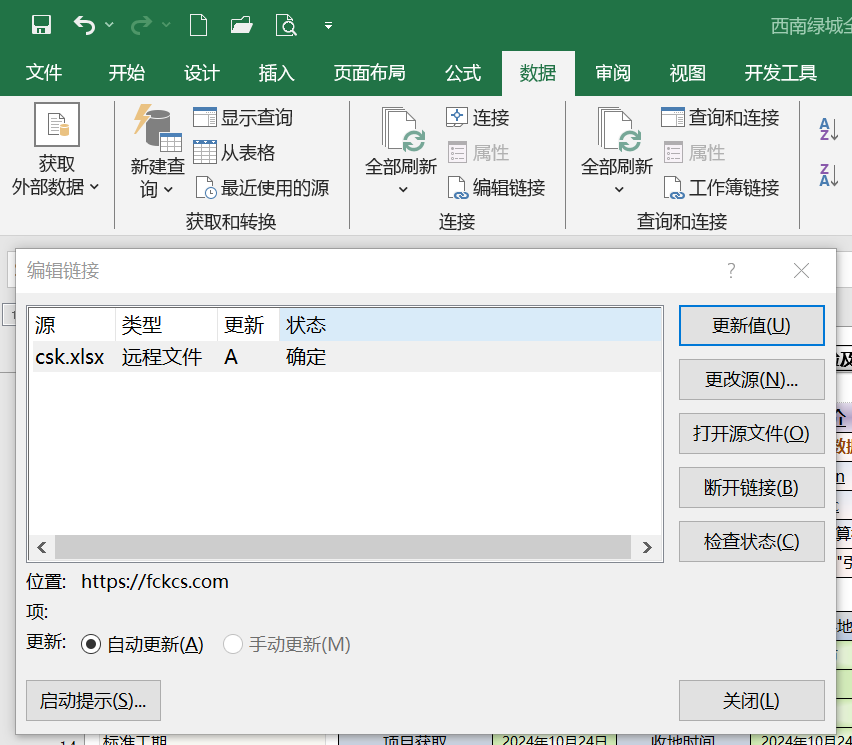
🌐 Official Website & Support
| Type | Link |
|---|---|
| Official Website | http://fccs.cc |
| Official Website | http://fckcs.cn |
| Official Website | http://fckcs.com |
| Official Website | http://fdc.sd |
| Official Website | http://fccsz.com |
| Official Website | http://cskits.com |
| Help & Suggestions | http://xlcs.de/ |
| Email Contact | [email protected] |
All articles in this blog are licensed under CC BY-NC-SA 4.0 unless stating additionally.
Related Articles